

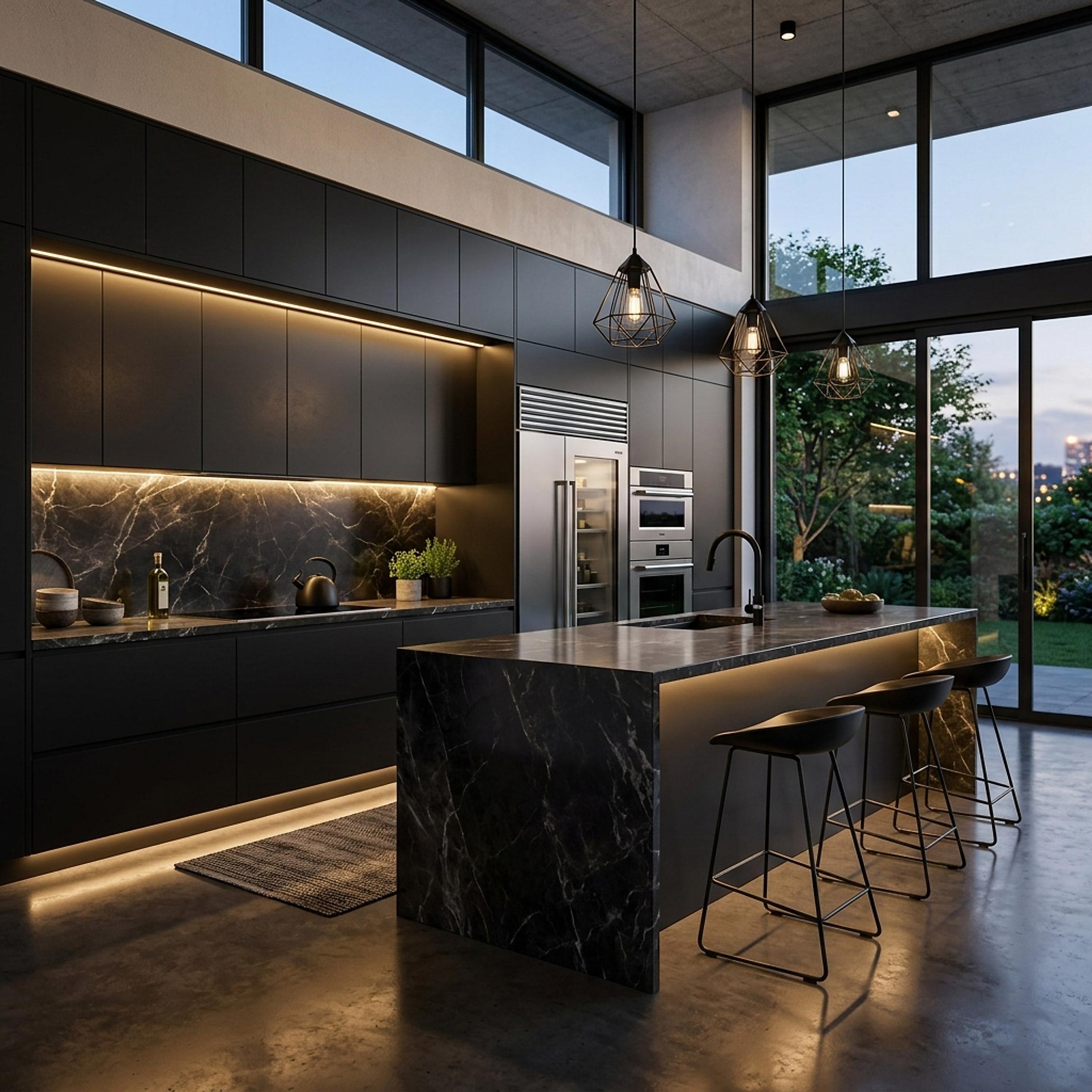
 FIG·01
Free kitchen cabinet design software falls into three groups: retailer planners that only know that retailer's cabinets, general room planners that draw cabinets as plain boxes, and the free trial of a desktop program with a real cabinet library. Which one you want depends on one question: do you need the plan to be right to the inch before you order? If the answer is no, a free planner is enough. If it is yes, read on, because the inch is where free planners stop.
What a cabinet layout has to get right
Cabinets are modular, and the modules are unforgiving. Base cabinets are 24 inches deep and 34.5 inches tall before the countertop; wall cabinets are 12 inches deep. Widths step in 3-inch increments from 9 to 48 inches, so a 10-foot wall is a combination of those widths plus fillers, and the filler is where the drawer bank either opens past the oven handle or does not. Appliances have their own rough-ins: 30 inches for a range, 24 for a dishwasher, 36 for most refrigerators. A corner needs a blind panel or a lazy susan, which eats width on both runs. An island needs a 42-inch walkway on every working side, 48 inches if two people cook.
A tool that treats a cabinet as a rectangle you stretch with the mouse will let you draw a run that cannot be bought. A tool with a library of real modular sizes will not, which is the whole difference between the free planners and a cabinet design program.
Free kitchen cabinet design software: the options
1. Retailer planners (IKEA, Lowe's, Home Depot and cabinet brands)
Free, online and accurate for one thing: that retailer's own cabinet line. The sizes are real because they are the retailer's SKUs, and the output doubles as a shopping list. The limits are the mirror image. You cannot mix in another brand's cabinets, the room tools are basic (walls, a window, a door), and the 3D view is for a quick look rather than a presentation. If you have already decided to buy from that store, start here.
2. General free room planners (Planner 5D, Homestyler, RoomSketcher, HomeByMe and similar)
Free to start, browser-based, and good at the whole room: walls, windows, flooring, furniture, a 3D view. Cabinets are generic objects, often in a few widths, and the planner does not know that a 36-inch sink base needs plumbing behind it or that the corner needs a blind panel. Higher-resolution renders and some exports usually sit behind a paid plan, and the project lives on the company's server. For a first idea of the layout they are quick; for ordering they are a sketch.
3. Free trial of desktop kitchen design software (ArchiMaster 3D Kitchen & Bath)
The third route is a full program used free for a limited time. ArchiMaster 3D Kitchen & Bath has a free 10-day trial of the complete software: 200+ kitchen and bath cabinets at real modular sizes, a kitchen appliance library, countertops in granite, marble and more, a Kitchen Builder Wizard that lays out the room from your measurements, and photoreal rendering on your own PC. It runs on 64-bit Windows only, works offline, and after the trial it is a one-time purchase rather than a subscription. In ten days you can lay out a kitchen, test an island against a peninsula, swap finishes and render it, which is the whole job for most remodels.
A quick comparison
- Real cabinet sizes: retailer planners yes (one brand); room planners no; ArchiMaster 3D trial yes (200+ cabinets).
- Mix brands and custom sizes: retailer planners no; room planners partly; ArchiMaster 3D yes.
- Appliance rough-ins and clearances: retailer planners partly; room planners no; ArchiMaster 3D yes, at true scale.
- Photoreal render: retailer planners basic; room planners paid plan; ArchiMaster 3D included.
- Works offline, file on your drive: retailer planners no; room planners no; ArchiMaster 3D yes.
- Cost after the free part: retailer planners free; room planners subscription for exports; ArchiMaster 3D one-time licence.
How to lay out a cabinet run so it can be ordered
- Measure the wall at counter height and at wall-cabinet height, window and door openings included, and note where the plumbing and the range outlet are.
- Place the fixed items first: sink base over the plumbing, range at its outlet, refrigerator where the door can swing clear.
- Fill between them with standard widths, largest first, and keep fillers at the corners and against walls, not in the middle of a run.
- Check every clearance: 42 inches to an island, dishwasher not beside a corner, drawers that clear appliance handles.
- Render it and look at it from the doorway. That view is what you will live with.
When free is enough, and when it is not
Free is enough for a layout you will hand to a kitchen showroom, because the showroom will redraw it in their own software anyway. Free is not enough when you are ordering cabinets yourself, hiring a contractor from your plan, or comparing a $25,000 cabinet package against another: then the plan has to be right to the inch, and the software has to know what a cabinet is. For that, use a tool with a real cabinet library, and use the free trial to find out whether it is the right one before you pay.
- Is there completely free kitchen cabinet design software?
- Yes: retailer planners such as IKEA's and the free tiers of room planners such as Planner 5D and Homestyler. They are free for a layout; the limits are one brand's cabinets, generic cabinet boxes, or exports behind a paid plan.
- What is the best free kitchen cabinet design software for ordering cabinets?
- If you are buying from one retailer, that retailer's planner, because its sizes are the real SKUs. If you are mixing brands or ordering from a plan, a program with a real modular cabinet library; ArchiMaster 3D Kitchen & Bath can be used free for 10 days for that.
- Can I design kitchen cabinets online for free in 3D?
- Yes, most free room planners run in a browser with a 3D view. The 3D view is for a quick look; photoreal renders and higher-resolution exports usually need a paid plan.
- Does ArchiMaster 3D have a free version?
- No free version, a free 10-day trial of the full software. After that it is a one-time licence for Windows, with a 30-day money-back guarantee.
- Does it run on a Mac?
- No. ArchiMaster 3D is desktop software for 64-bit Windows 11, 10, 8 or 7 only.
Lay out your cabinets at real sizes and render the kitchen before you order.
Start the free 10-day trialReady to design with confidence?
See which edition fits the space you’re designing.


