

 FIG·01
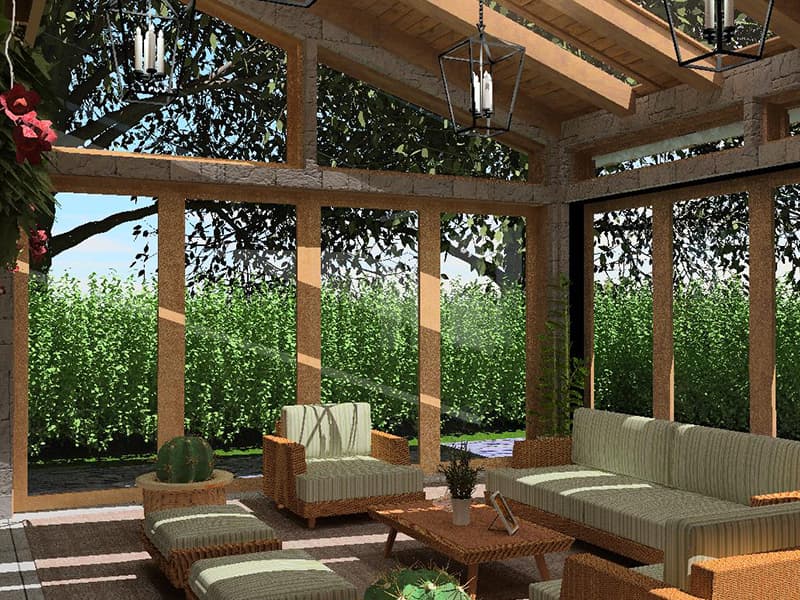
The best landscape design software for homeowners in 2026 is ArchiMaster 3D Landscape & Deck, which combines photorealistic 3D rendering, a vast plant library, and one-time licensing without recurring fees. For those who need a free starting point, browser-based tools like SketchUp Free and Planner 5D handle simple 2D layouts, but they lack the terrain sculpting and detailed plant databases that turn a sketch into a buildable plan. Choosing the right tool depends on your project scope, your comfort with design software, and whether you want to see your yard in cinematic realism before a single shovel hits the dirt.
- The most capable landscape design software for homeowners balances easy-to-learn controls with robust 3D visualization, true-to-scale plant libraries, and hardscape tools.
- Free tools like SketchUp Free and Planner 5D let you experiment with basic layouts, but you will quickly hit limits on terrain modeling, plant selection, and material rendering.
- Paid software such as ArchiMaster 3D Landscape & Deck delivers photorealistic walkthroughs, growth-based plant libraries, and integrated deck design for a one-time cost.
- Before opening any program, document your yard's sun angles, drainage patterns, and existing hardscape because software is most powerful when it digitizes a real site, not a blank screen.
- The 2026 Houzz & Home Study (cited in ArchiMaster’s research roundup) reports that homeowners who designed their landscape with software before hiring pros saved an average of 15% on material overages.
What to Look for in Landscape Design Software This Year
Landscape design tools have evolved far beyond drag-and-drop bushes. Today, a serious homeowner tool must handle four core areas: terrain, plants, hardscape, and 3D visualization. Terrain tools let you sculpt slopes and set retaining walls. A proper plant library does more than list species; it tags mature size, hardiness zone, sun requirements, and even seasonal color changes so you can see how a Japanese maple will shade the patio in three years. Hardscape features cover paths, patios, pergolas, and decks with accurate joist and footing calculations. Photorealistic rendering then ties everything together so you can walk through the design at different times of day. Without these four pillars, software is merely a painting app.

Cost structure matters, too. Many tools now offer free tiers, but those tiers often lock essential features like plant growth simulation or deck framing. According to the 2026 home design statistics gathered by ArchiMaster 3D, the median outdoor project spend reached $18,000 in 2026. When you are investing that much, the $100–$300 for perpetual software is a tiny fraction that can prevent expensive do-overs. Subscription models, common in web-based competitors, can add up quickly: two years of a $49/month plan eclipses the price of a lifetime license. For homeowners planning several phases, one-time pricing is the sharper financial choice.
Best Free Landscape Design Software for Beginners
Starting with a free tool makes sense if your project is modest: a small flower bed, a single patio extension, or a rough layout you will hand to a designer. SketchUp Free remains the most capable all-purpose modeler. Its web interface needs no installation, and it can handle basic terrain shapes if you are willing to learn its push-pull workflow. Planner 5D offers a drag-and-drop catalog with some outdoor items, and it renders passable static images. Sweet Home 3D is open-source and can import custom plant models, though its terrain handling is rudimentary. Live Home 3D provides a free tier with 2D and 3D views, but the plant library is minimal until you upgrade.
What free tools universally lack is a deep plant database tied to real horticultural data, automatic sun-and-shadow studies for different seasons, and terrain tools sophisticated enough to model drainage swales. They are also typically 2D-centric or produce only blocky 3D. If your yard has more than a gentle slope or you want to visualize how a deck attaches to the house, a free tool will frustrate you. A better path for many beginners is to start with a fully featured free trial. ArchiMaster 3D’s trial gives you 15 days of unrestricted access to its landscape, deck, and plant tools, so you can build the real thing and then decide. Download the free trial here.
Best Paid Landscape Design Software for Homeowners
When you are ready to commit to a paid tool, the field narrows to products genuinely built for home-scale projects. ArchiMaster 3D Landscape & Deck is designed specifically for homeowners and serious DIYers, not architects. It includes a deep plant library with mature growth projections, automatic hardiness zone checks, and integrated deck and patio design from the same engine as its interior design editions. The one-time license covers all future updates for that major version, so you are never forced into a subscription. Other contenders include Home Designer Suite, which offers landscape features in its top tier, and Chief Architect, which is extremely capable but priced and complex enough for pros. Cedreo and RoomSketcher are web-based options that charge monthly fees and limit offline work.
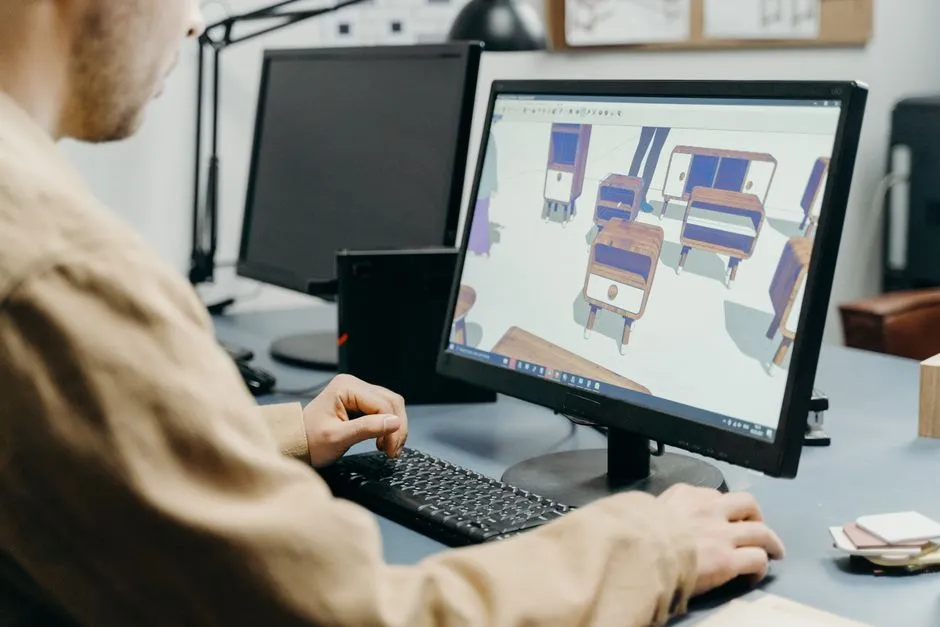
- ArchiMaster 3D Landscape & Deck: full terrain sculpting, deep plant library with growth simulation, photorealistic walkthroughs, integrated deck tools, one-time purchase (no subscription).
- Home Designer Suite: solid plant library and basic terrain, but landscape is secondary to interior design and deck framing is limited without the pro version.
- Chief Architect Premier: gold standard for pros, excellent terrain and plant control, but costs over $2,000 and the learning curve intimidates most homeowners.
- Cedreo: fast web-based floor plans with some outdoor items, subscription pricing, less detailed 3D and no true plant growth modeling.
- SketchUp Pro: precise 3D modeling, but plant libraries and terrain tools rely on extensions; the raw interface demands significantly more time to produce a presentable landscape plan.
The landscape and deck edition of ArchiMaster 3D stands out because it treats outdoor spaces as a core part of the home, not an afterthought. You can design a multi-level deck with stairs, railings, and footings, then switch to planting beds and see how shadows from the deck fall on a vegetable garden in August. That continuity from structure to softscape is rare in homeowner tools and is a clear advantage when you are planning an outdoor kitchen, a pool surround, or a custom fire-pit area. For a broader look at how this fits into whole-home planning, see our best home design software comparison.
3 Steps to Pick the Right Tool for Your Yard
First, define the project scope honestly. A container garden or a simple lawn refresh does not require 3D terrain modeling; a free tool or even graph paper may suffice. But if your project involves grading, retaining walls, new patios, or hardscape tied to the house foundation, a paid tool with accurate elevation control pays for itself in avoided mistakes. Second, consider your technical comfort. Browser-based tools are immediately accessible, but dedicated desktop software like ArchiMaster 3D delivers far more realistic renderings and snappier performance, especially for lots larger than a quarter acre. Third, check the plant data. A landscape plan is only as good as its plant selections. Software that alerts you when a shrub will outgrow its spot within two years saves you from tearing out plants later.
“Great landscape design doesn't start with software; it starts with the way sunlight falls on your yard at 5 p.m.”
Starting Your First Landscape Design Project
Before you launch any design program, walk your property with a tape measure, a phone camera, and a notebook. Record the dimensions of existing hardscape, the location of downspouts, and the arc of the sun across different seasons. Many homeowners underestimate how much a mature tree will shade a proposed patio. ArchiMaster 3D can import a photo of your house or a satellite image of your lot as a traceable background, so your measurements snap to reality. This import step is the single most important move you can make to ensure the final plan is buildable.
Once you have a base plan, place hardscape first, then layer in plants and lighting. The software's plant library will automatically flag species that exceed the space you have allotted, and the sun study tool lets you animate shadows through the day and across months. Rendering a photorealistic walkthrough before digging lets you catch sight-line issues, like a trellis blocking the kitchen window, that are painfully obvious in 3D but invisible on a 2D plot. If your project includes a deck, use the dedicated deck tools to set joist spacing, beam sizes, and stair runs; these details generate a materials list that your lumberyard can quote directly.
- Is there truly free landscape design software that is worth using?
- SketchUp Free and Planner 5D are genuinely free and work for small, flat layouts. They lack terrain sculpting, detailed plant databases, and photorealistic rendering, so they are best for rough concepts, not buildable plans.
- What is the easiest landscape design software for beginners?
- Planner 5D has the gentlest learning curve with its drag-and-drop interface, but it struggles with slopes and custom hardscape. For an easy tool that still delivers construction-grade output, ArchiMaster 3D Landscape & Deck includes step-by-step wizards and a free trial that lets beginners produce a full plan on day one.
- Can landscape design software show how plants will look as they grow?
- Yes, paid tools like ArchiMaster 3D include growth projection that visualizes a plant's mature size after 1, 3, and 5 years. This feature prevents the common error of planting too densely and is not available in any free tool.
- How much does good landscape design software cost?
- Homeowner-focused paid software ranges from $99 to $300 for a perpetual license. Subscription-based web tools charge $30 to $100 per month. Considering the median outdoor project is $18,000 in 2026, software cost is minimal compared to the value of an accurate, buildable plan.
- Do I need an architect to use landscape design software effectively?
- No. Modern homeowner software is built for DIY users. With built-in plant recommendations, sun studies, and material takeoffs, you can produce a professional-grade plan that a contractor can bid directly. For complex structural elements like large decks or major grading, a consultation may still be wise.
See your yard in photorealistic 3D before you break ground. Try ArchiMaster 3D Landscape & Deck free for 15 days, with full access to the plant library and deck tools.
Download Free TrialReady to design with confidence?
See which edition fits the space you’re designing.