
 FIG·01
2D floor plan software draws walls, doors, windows and dimensions from above. The right tool depends on what you need at the end: a free sketch, a plan you can share from a browser, or a dimensioned drawing you can print for a builder. These are the six tools worth knowing in 2026, plus AI generators:
- Sweet Home 3D: free, open-source desktop program for simple plans.
- RoomSketcher: online, aimed at real estate listings and home plans.
- Planner 5D: online, easy for beginners.
- PlanningWiz: online, simple 2D drawing.
- AutoCAD: professional 2D drafting.
- ArchiMaster 3D Expert: Windows desktop, dimensioned working drawings that switch to 3D.
Plus AI floor plan generators such as floor-plan.ai, for fast first drafts.
Best 2D floor plan software at a glance
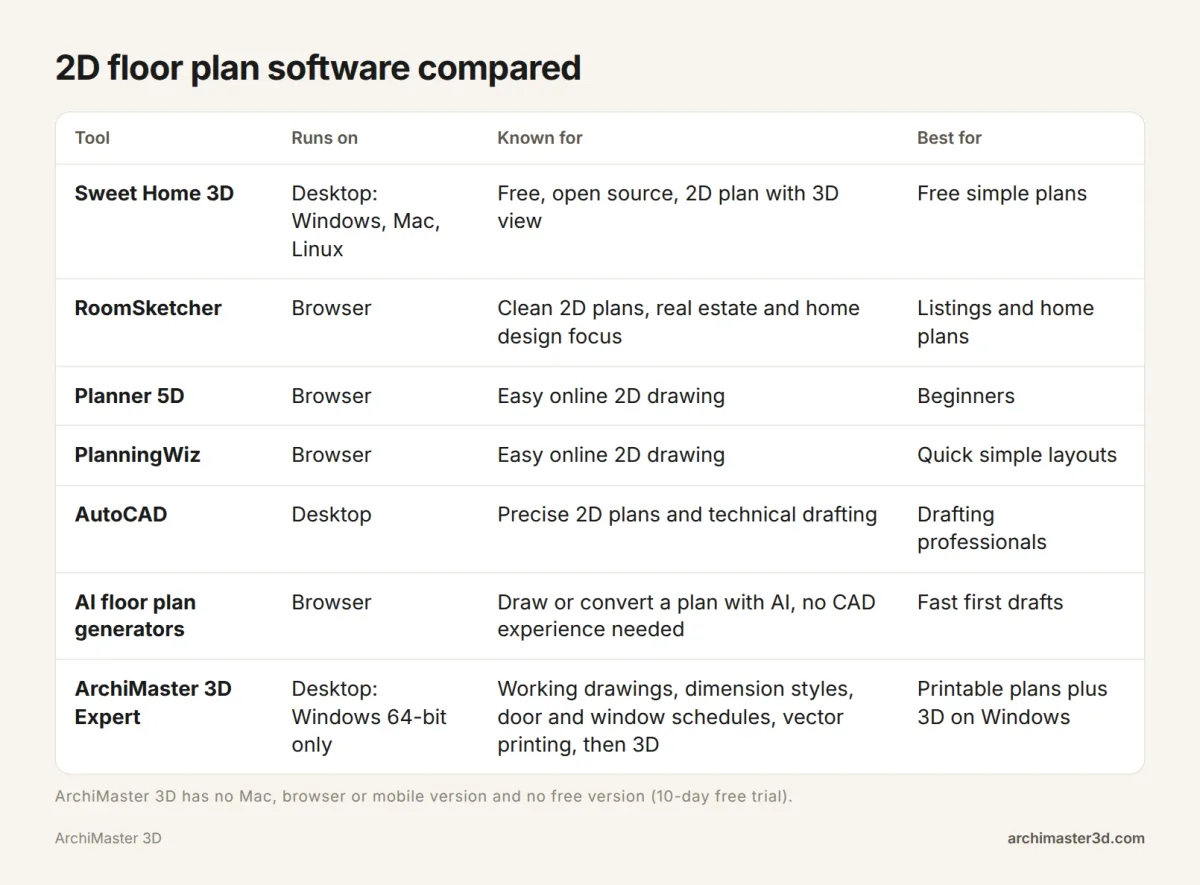
The table below sets them side by side: where each one runs, what it is known for, and who it suits.
| Tool | Runs on | Known for | Best for |
|---|---|---|---|
| Sweet Home 3D | Desktop: Windows, Mac, Linux | Free, open source, 2D plan with 3D view | Free simple plans |
| RoomSketcher | Browser | Clean 2D plans, real estate and home design focus | Listings and home plans |
| Planner 5D | Browser | Easy online 2D drawing | Beginners |
| PlanningWiz | Browser | Easy online 2D drawing | Quick simple layouts |
| AutoCAD | Desktop | Precise 2D plans and technical drafting | Drafting professionals |
| ArchiMaster 3D Expert | Desktop: Windows 64-bit only | Working drawings, dimension styles, door and window schedules, vector printing, then 3D | Printable plans plus 3D on Windows |
| AI generators (such as floor-plan.ai) | Browser | Draw or convert a plan with AI, no CAD experience needed | Fast first drafts |
Prices and plan limits change often, so check each tool's own site before you commit. For ArchiMaster 3D, see current pricing.
How to draw a 2D house plan with dimensions
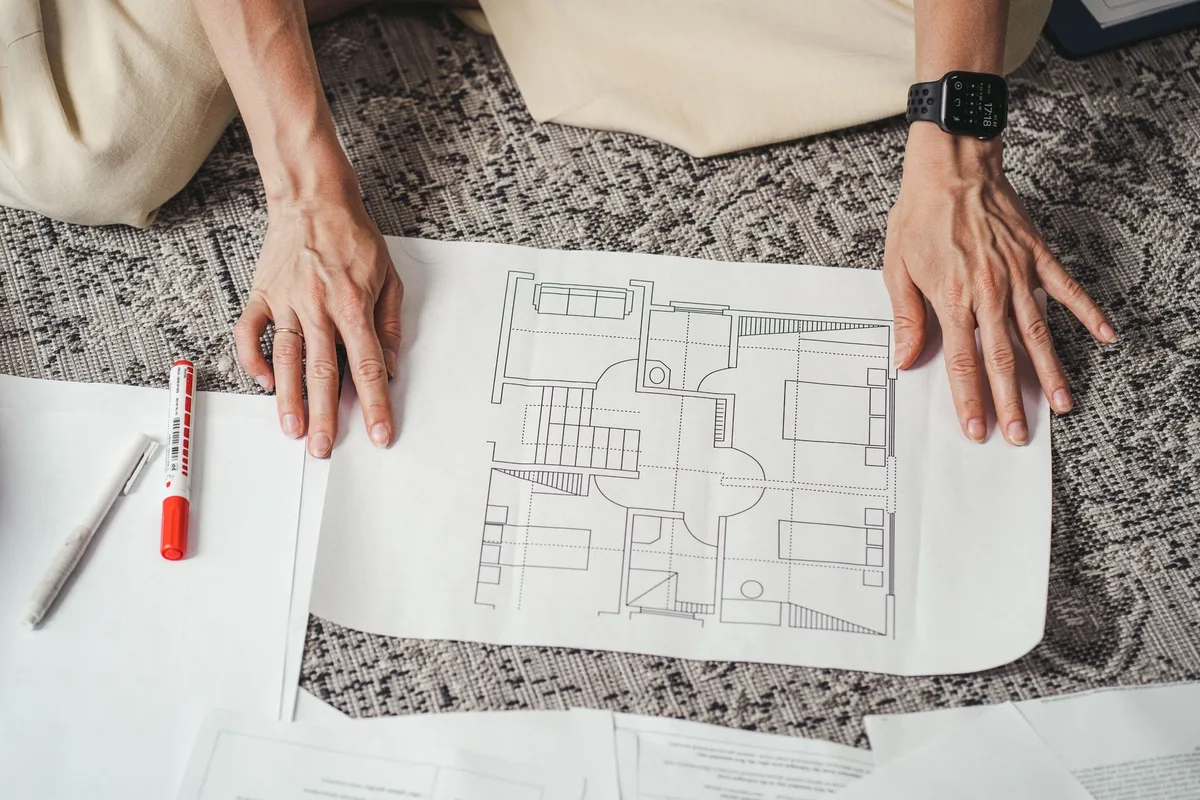
Before you compare programs, decide what the finished plan has to look like. Then you can hold any tool up against it. Here is a simple sample: a single-storey home, 32 ft wide by 24 ft deep, 768 sq ft in total.
| Room | Size (ft) | Area (sq ft) |
|---|---|---|
| Living room | 16 x 14 | 224 |
| Kitchen and dining | 16 x 14 | 224 |
| Bedroom 1 | 12 x 10 | 120 |
| Bath | 8 x 10 | 80 |
| Bedroom 2 | 12 x 10 | 120 |
| Total | 32 x 24 | 768 |
The living room and the kitchen-dining space sit side by side along the front: 16 + 16 = 32 ft wide. The bedrooms and bath run along the back: 12 + 8 + 12 = 32 ft. Front rooms plus back rooms give the depth: 14 + 10 = 24 ft.
To draw it, measure every wall and opening first. Draw the outer walls to exact length, then the interior walls. Then check that the plan shows:
- Overall and room dimensions that stay legible when printed.
- Doors with their width and swing direction.
- Windows placed at a measured position along each wall, not dropped in by eye.
- Room names and sizes on every space.
- A scale, so a builder can read distances the plan does not label.
If you are unsure how openings should look, our guide on how to draw windows on a floor plan covers the standard symbols.
Saving your 2D plan as a PDF
A PDF is the easiest way to send a plan to a builder, a council or a family member. On Windows 10 and 11, a program that can print can usually save a PDF through the built-in Microsoft Print to PDF printer.
Pick the scale before you print. At 1/4 in to 1 ft, the 32 ft sample is 8 in wide, so it fits a letter-size page in landscape with room for dimensions. Vector output keeps lines and numbers sharp when someone zooms in, while an image export can blur. Test this during any free period, before you build the whole house in a program.
Free 2D floor plan software
Sweet Home 3D: free and open source
Sweet Home 3D is the best-known free option, and the answer to most "2D floor plan free download" searches. It is a downloadable desktop program for Windows, Mac and Linux. Homestyler describes it as a robust and intuitive open-source tool that lets you design 2D floor plans and see them in 3D.
For a closer look at how it handles measured, existing homes, see ArchiMaster 3D vs Sweet Home 3D for as-built plans.
When a free tool is all you need
Plenty of people only need something simple. One question on the first page asks for free software to draw simple 2D plans for a tabletop role-playing game, without paying for a multi-hundred-dollar program. For maps, a quick room layout or a rough furniture plan, a free tool is the right answer.
ArchiMaster 3D has no free plan or free version. It offers a 10-day free trial and a 30-day money-back guarantee, which makes sense if you need printable, dimensioned drawings and 3D views, not just a sketch.
Online 2D floor plan makers (browser and Mac friendly)
Browser tools run on almost any computer, so they are the fair pick if you use a Mac or a Chromebook. ArchiMaster 3D is Windows only, so if that is not your machine, start here.
RoomSketcher
A March 2026 roundup, "Best Floor Plan Software in 2026: 7 Tools Compared", describes RoomSketcher as an online floor plan maker with a strong focus on real estate and home design that generates clean 2D plans. It is a natural fit if you want a tidy plan for a listing or to show a family member.
Planner 5D
A March 2025 roundup, "10 Best Floor Plan Software for Beginners and Pros", lists Planner 5D among the easy-to-use online platforms for drawing 2D plans. That makes it a common first stop for beginners who want results without learning a technical program.
PlanningWiz
PlanningWiz appears in the same March 2025 list as an easy online 2D platform. It suits quick, simple layouts where you want walls and rooms on screen in a few minutes.
Floor Plan Creator and Canva
Google's own AI answer for this search also cites Floor Plan Creator and Canva, the online design platform, alongside RoomSketcher and Planner 5D. Both are worth a look if you already use them. Check each site for its current floor plan tools and plan limits.
AI floor plan generators, such as floor-plan.ai
The two top results for this search are AI floor plan tools, and floor-plan.ai is among the sites Google's AI answer cites. One top page offers to draw from scratch or convert an existing plan with AI, with no CAD experience needed. The other promises professional layouts with rooms, walls, doors, windows, measurements and architectural symbols.
These are useful for a fast first draft. Before you rely on one, check every generated dimension against your own tape measurements. A wall that is 6 inches off on screen becomes a cabinet that does not fit in real life.
For a wider field, see our 12 floor plan makers compared.
Professional 2D drafting: AutoCAD and when CAD is overkill
AutoCAD, made by Autodesk, is general-purpose professional drafting software, and the usual answer to "2D house plans in AutoCAD" searches. A January 2026 roundup of G2 reviews calls it best for precise 2D floor plans and technical drafting.
It is built for drafting professionals, and the learning curve reflects that. Many house projects need a dimensioned, printable plan, but not a full CAD package. If you are wondering whether your project crosses that line, our guide on when you actually need CAD walks through it.
ArchiMaster 3D: home design software with 2D working drawings in Expert
ArchiMaster 3D is home design software purpose-built for homes, with photorealistic 3D rendering done on your own PC. Working drawings, dimension styles, schedules, vector printing and SmartView are in the Expert edition only.
From a scanned or sketched plan to a dimensioned drawing
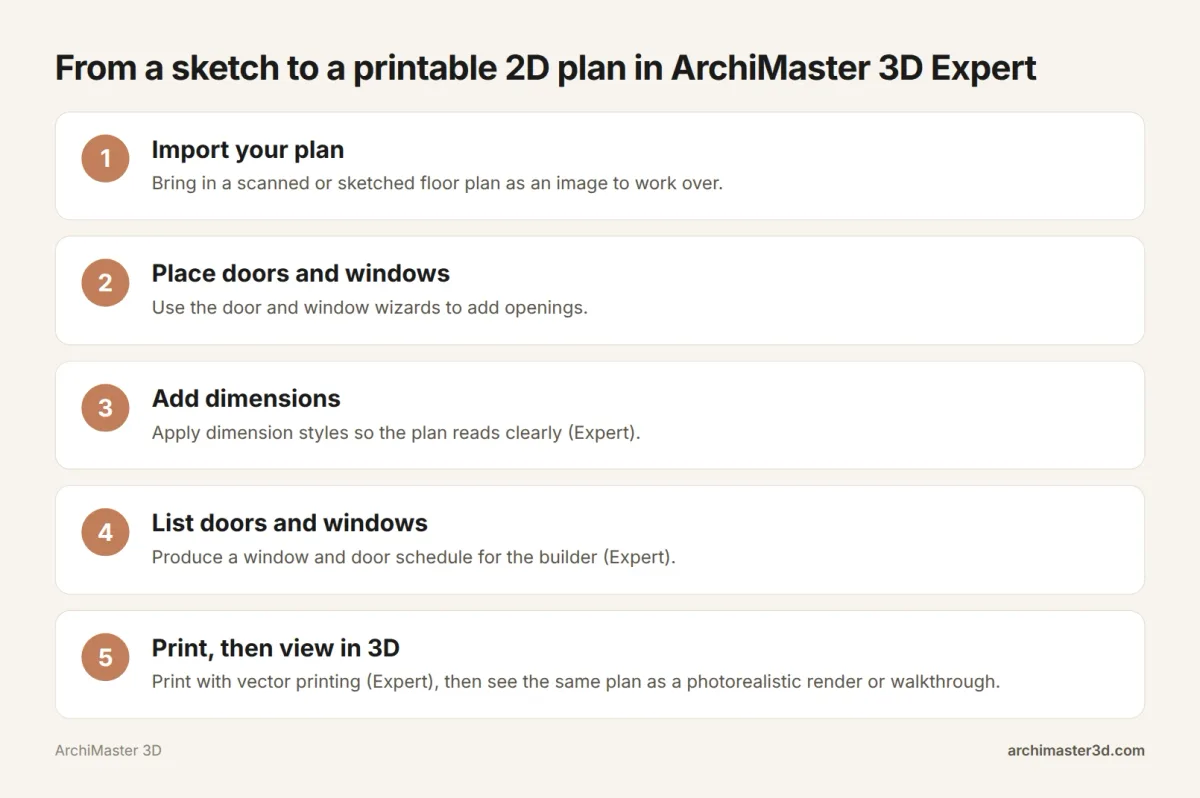
- Import your plan. Bring in a scanned or sketched floor plan as an image to work over.
- Place doors and windows. Use the door and window wizards to add openings.
- Add dimensions. Apply dimension styles so the plan reads clearly (Expert).
- List doors and windows. Produce a window and door schedule for your builder (Expert).
- Print, then view in 3D. Print with vector printing (Expert), then see the same plan as a photorealistic render or walkthrough tour.
If you are starting from an old drawing, our walkthrough shows how to trace a 2D floor plan into 3D.
Where it fits and where it does not
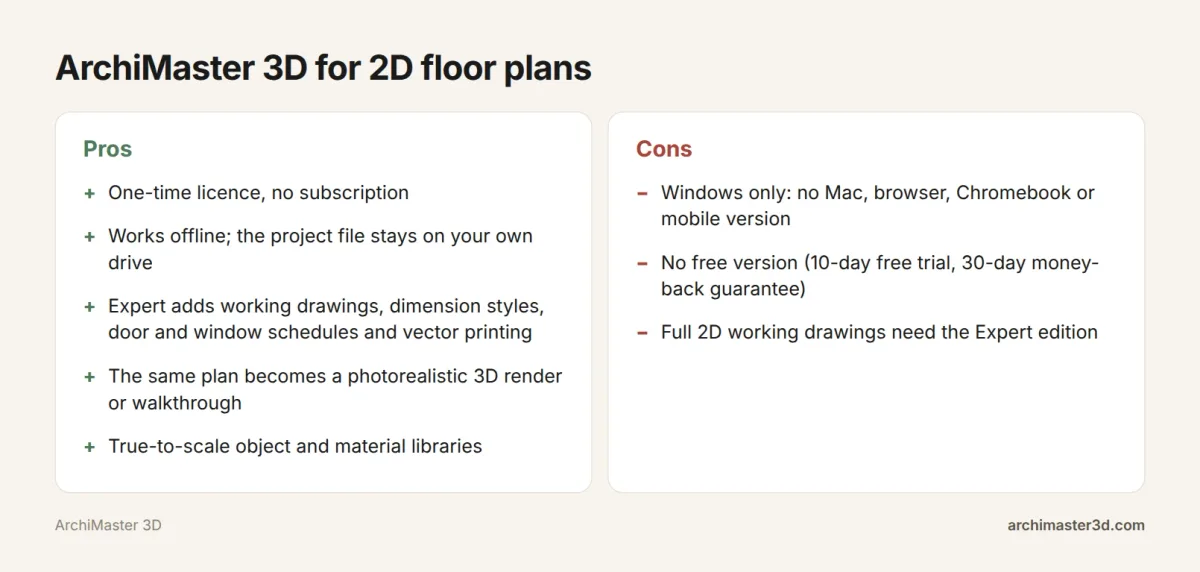
ArchiMaster 3D fits if you work on a 64-bit Windows PC and want one file that gives you both a printable plan and a 3D view. You pay once with a one-time licence, there is no subscription, and it works offline with the project file on your own drive. The object and material libraries are true to scale, so furniture and fixtures on the plan match their real sizes.
It does not fit if you use a Mac, iPad or Chromebook, if you need a free tool, or if you only want a quick sketch. If full 2D working drawings matter to you, plan on the Expert edition. The full feature list shows what each edition covers.
Which 2D floor plan software should you use?
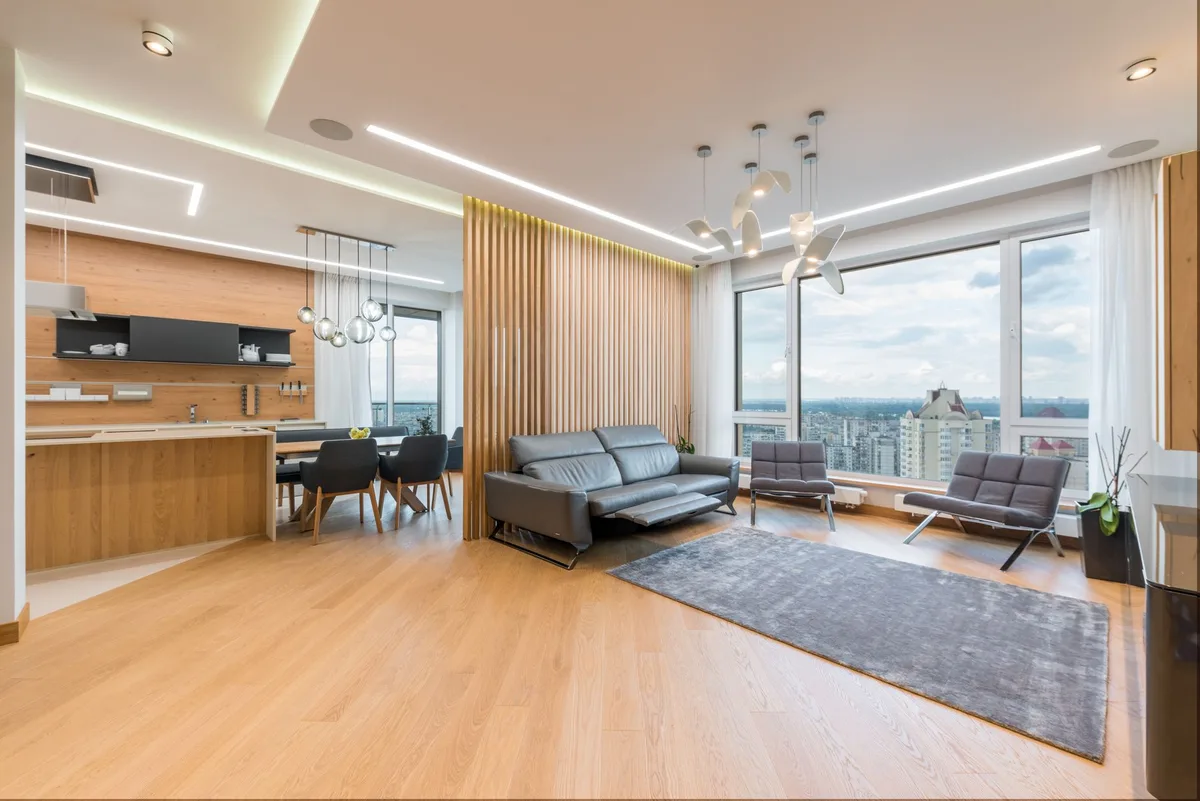
Match the tool to the job:
- A free sketch or a game map: Sweet Home 3D.
- A Mac, Chromebook or a plan you want to share from a browser: RoomSketcher, Planner 5D, PlanningWiz, Floor Plan Creator or Canva.
- Professional drafting: AutoCAD.
- A fast first draft: an AI generator such as floor-plan.ai, then check every measurement.
- A Windows PC, a printable dimensioned plan and the same plan in 3D: ArchiMaster 3D Expert.
The payoff of the last option is the step after the plan. A 16 x 14 ft living room looks clear on paper, but seeing it furnished in 3D shows whether the sofa blocks the walk to the kitchen.
Checklist before you pick a 2D floor plan program
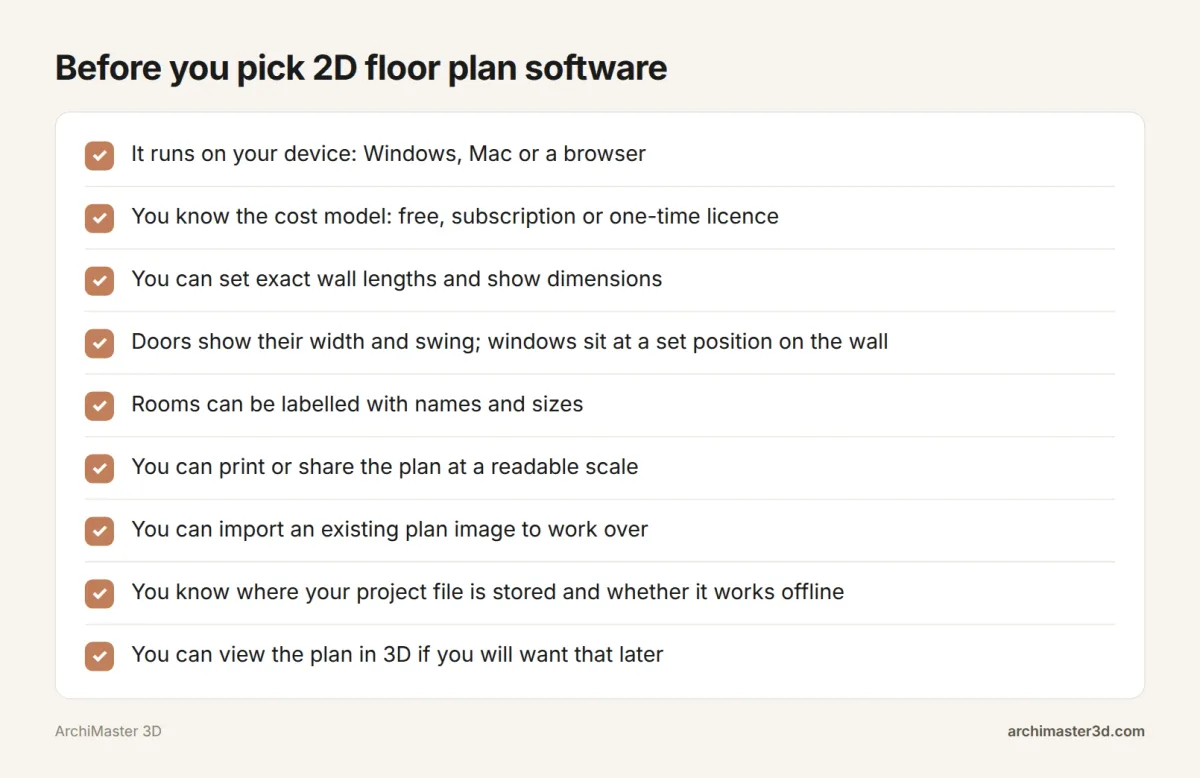
Draw the sample plan above, then run the program through these points before you commit a whole project to it:
- It runs on your device: Windows, Mac or a browser.
- You know the cost model: free, subscription or one-time licence.
- You can set exact wall lengths and produce every item in the dimensions list above.
- You can print at a set scale or save a PDF that stays sharp.
- You can import an existing plan image to work over.
- You know where your project file is stored and whether the program works offline.
- You can view the plan in 3D if you will want that later.
Try ArchiMaster 3D for your floor plan
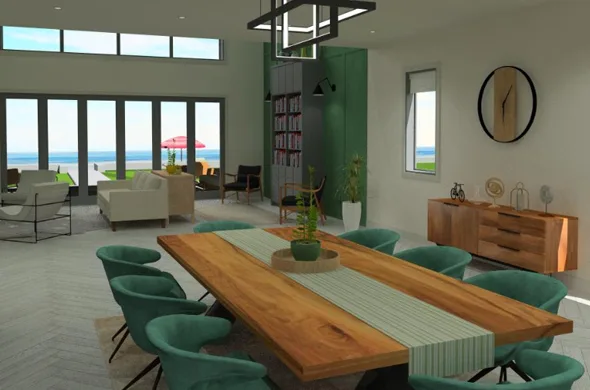
If you are on a 64-bit Windows PC and want a dimensioned 2D plan that you can also see in photorealistic 3D, start the 10-day free trial. If 2D working drawings are the main goal, look at the Expert edition: it includes dimension styles, window and door schedules, SmartView elevations and sections, and vector printing. ArchiMaster 3D is a one-time licence with a 30-day money-back guarantee, and you can see current pricing any time. To compare it with other plan tools, read more about our floor plan software.
- Is there free 2D floor plan software?
- Yes. Sweet Home 3D is free, open-source desktop software for Windows, Mac and Linux, and Homestyler describes it as able to design 2D plans and show them in 3D. The top AI floor plan pages also advertise free starts. ArchiMaster 3D has no free version, only a 10-day free trial.
- Can I draw a 2D floor plan online for free?
- Yes, several browser tools let you start free. The two top AI floor plan pages advertise free online creation, and a March 2025 roundup lists PlanningWiz, Planner 5D and RoomSketcher as easy online 2D platforms. Check each site's current plan limits, such as printing or saving, before you commit a project.
- How do I draw a 2D house plan with dimensions?
- Measure every wall and opening first, then draw the outer walls to exact length and add interior walls. Place doors and windows by their distance along each wall. Add overall and room dimensions, label each room with its name and size, then print at a readable scale and check it against your measurements.
- How do I get a 2D house plan as a PDF?
- Print the plan at a set scale, such as 1/4 in to 1 ft, and choose a PDF printer. On Windows 10 and 11, Microsoft Print to PDF is built in. Vector output keeps lines and dimensions sharp when the PDF is zoomed.
- Do I need AutoCAD to draw a 2D house plan?
- No. AutoCAD is built for drafting professionals, and a January 2026 roundup of G2 reviews rates it best for precise 2D plans and technical drafting. Most house projects only need dimensioned, printable plans, which free tools, browser makers or home design software such as ArchiMaster 3D Expert can produce.
- Does ArchiMaster 3D work on a Mac or in a browser?
- No. ArchiMaster 3D is desktop software for 64-bit Windows 11, 10, 8 or 7 only. There is no Mac, iPad, Chromebook, Linux, browser or cloud version. On a Mac, a browser tool such as RoomSketcher or Planner 5D, or the free Sweet Home 3D desktop program, is the better fit.
- Can I turn a 2D floor plan into 3D?
- Yes. Sweet Home 3D shows a 3D view of your 2D plan, according to Homestyler. ArchiMaster 3D lets you import a scanned or sketched plan as an image, build over it, then view the result as a photorealistic render or walkthrough.
Plan it in 3D before you build: walls, furniture and finishes to scale, then walk through it.
Try it free for 10 days- Who
- Written by Ahmed El Alaoui, editorial direction & marketing analytics at Richdale AI, the company behind ArchiMaster 3D.
- How
- Drafted with AI assistance from the ArchiMaster 3D Ultimate Home Design feature set and checked claim by claim against the product fact sheet on Nov 1, 2026. Photographs are stock illustrations, not renders from the software.
- Why
- Help homeowners see a room or a whole house before they spend money building it.
Ready to design with confidence?
See which edition fits the space you’re designing.