 FIG·01
The best photorealistic rendering software in 2026 combines AI acceleration with intuitive controls to turn 3D models into lifelike images in minutes, not hours. Free tools like Twinmotion and D5 Render offer serious power, while paid suites like Lumion and ArchiMaster 3D deliver integrated, architecture-specific workflows that can produce a final-quality render during a client meeting. The distinction between renderer and modeling tool has blurred: the most efficient path for architects is often a single application that handles design, materials, lighting, and final output in one place, with AI denoising that eliminates the hours-long wait that used to define photorealistic work.
- AI denoising is now standard in all serious rendering tools, allowing a 4K interior scene to complete in 30 to 60 seconds on a consumer GPU like an NVIDIA RTX 4070.
- Free real-time renderers (Twinmotion, D5 Render free tier) now rival many paid tools in output quality for architectural exteriors, though paid suites pull ahead in material accuracy and custom lighting presets.
- The rendering software comparison has shifted from image quality alone to workflow integration: the fastest path from model to client-ready image comes from a tool that renders natively inside the design environment.
- ArchiMaster 3D includes its own photorealistic rendering engine in every edition, running locally on your PC and built for homes, without an external plugin or separate subscription.
- For architects in 2026, the non-obvious tradeoff is that heavy AI post-processing can sometimes soften the crisp shadow lines and texture grain that make a render read as a built space, so the best tools let you dial back the AI smoothing manually.
What to look for in photorealistic rendering software today
Rendering software is no longer just a button you push at the end of a design. In 2026, architects evaluate a tool’s material library depth, real-time viewport quality, AI features, and how tightly it integrates with the modeling workflow. A modern photorealistic renderer should offer physically based rendering (PBR) materials, HDRI environment lighting, and ray-traced reflections and shadows at interactive frame rates. The real differentiator is AI noise reduction: NVIDIA’s OptiX denoiser, Intel’s Open Image Denoise, and proprietary systems like ArchiMaster 3D’s Adaptive Light Optimizer all cut iterative rendering time by a factor of 10 or more. The 2026 Houzz & Home Study noted that 76% of homeowners expect to see a 3D visualization before approving a major renovation, placing pressure on design-build firms to produce presentation-quality renders on a tight timeline. Good rendering software for architecture therefore also needs to be fast enough to explore design options live, not just to export a single pretty picture.
Free AI-powered rendering tools that architects actually use
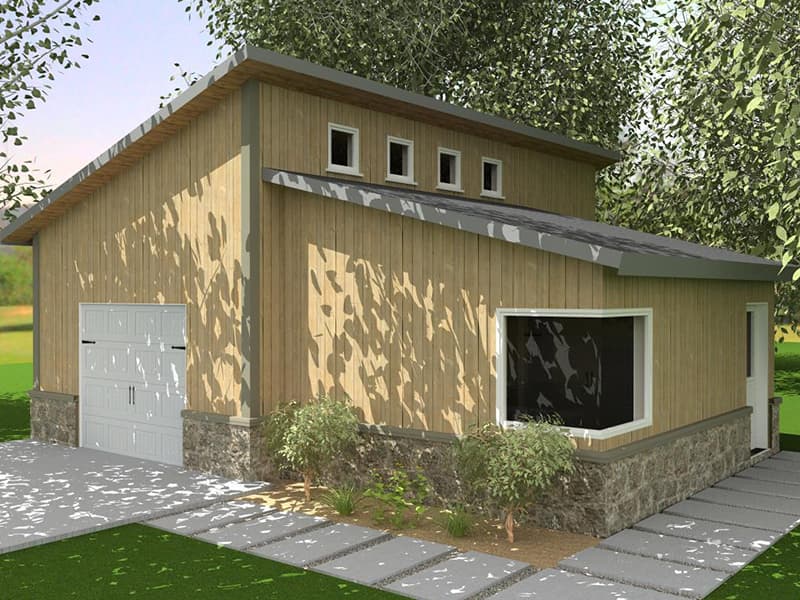
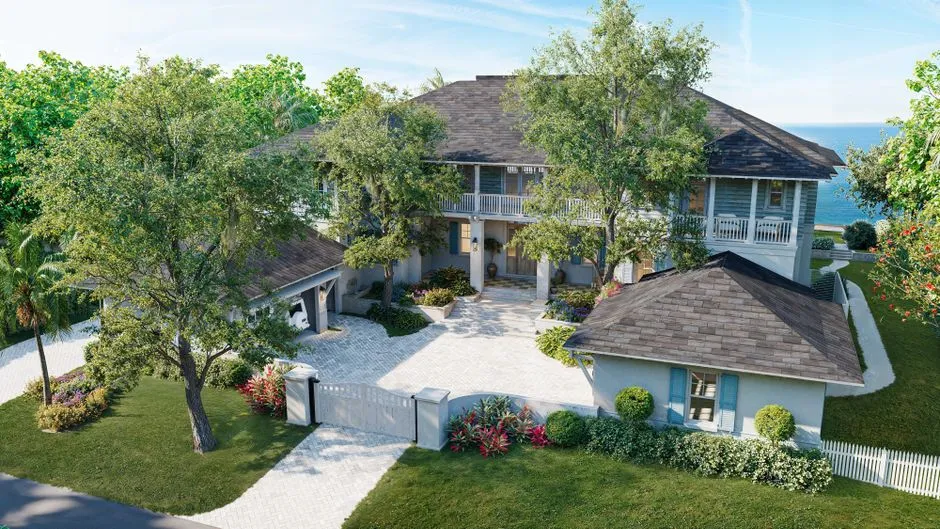
Several free photorealistic rendering tools have reached a level where they are viable for schematic design and even client presentations. Twinmotion, built on Unreal Engine, is free for non-commercial use and under $450 for pro licenses; its real-time path tracer delivers convincing exterior sunlight and vegetation, and its 2026 update includes a one-click AI sky and season swap. D5 Render offers a free tier limited to 1-camera animation and no AI-enhanced material upscaling, but the base render quality is strong, especially for interior spaces with artificial light. Blender’s Cycles engine, paired with its AI denoiser, remains a capable option for architects comfortable with a steep learning curve, but it lacks architectural libraries out of the box. Free trials of commercial software also belong in this category: ArchiMaster 3D’s downloadable trial lets you build and render a full residential project to test photorealistic output before buying, with no watermark on saved images. The common limitation of free tools is asset variety: paid tools typically include thousands of brand-specific, true-to-scale furniture, fixtures, and vegetation models that save hours of manual placement.
Paid rendering tools that dominate architectural visualization
When image quality and workflow efficiency are non-negotiable, architects turn to paid photorealistic rendering solutions. Lumion remains a leader in standalone real-time rendering for exteriors and landscapes, with a library of over 7,000 entourage items and a price starting around $1,800 for a perpetual license. Enscape, now bundled with many BIM tools, offers a live link to Revit, Archicad, or SketchUp and renders directly in the viewport for around $800/year. V-Ray continues to serve the high-end visualization market with path-tracing accuracy that can require minutes to hours per frame, though its latest GPU mode with AI denoising narrows the gap. For residential design and remodeling professionals, ArchiMaster 3D’s Expert edition is a purpose-built alternative: its photorealistic engine renders natively within the floor plan and 3D modeling workspace, eliminating the import-export ping-pong that Lumion or Twinmotion require. Because it is a single application from modeling to 4K stills, firms can show a client a kitchen with exact cabinet finishes, correct appliance footprints, and real lighting conditions in under two minutes from a plan change. See the ArchiMaster 3D product line to understand how the rendering engine scales across editions.
Integrated rendering versus plugin workflows
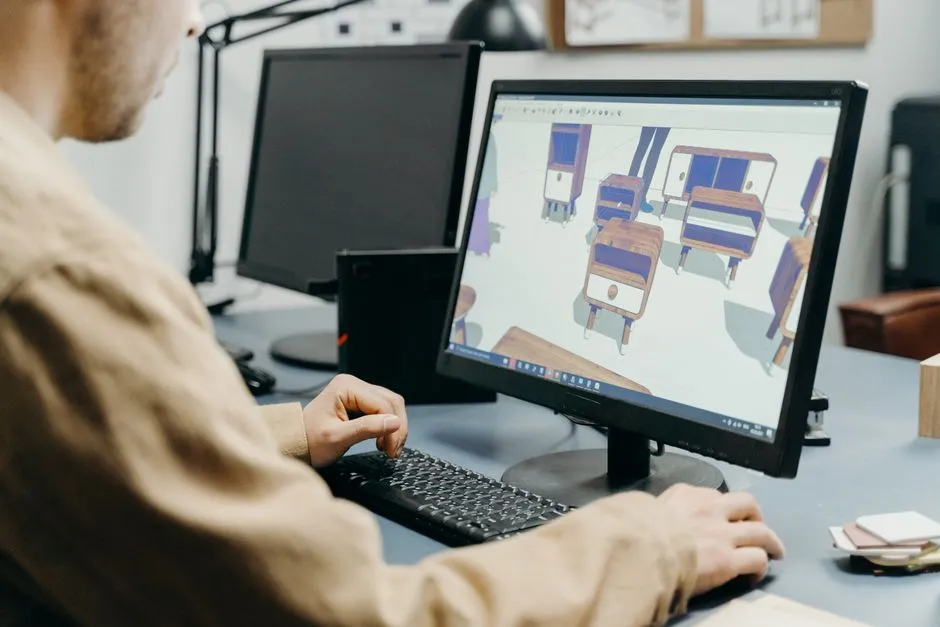
A common friction point in the professional architecture workflow is the roundtrip between a CAD or BIM tool and a separate renderer. Every time a wall moves or a window changes, the model must be exported, re-imported, and materials reapplied. In 2026, many firms are switching to all-in-one solutions for residential projects, because the rendering software comparison comes down to time lost in translation. ArchiMaster 3D’s integrated approach means you never leave the modeling environment to get a photorealistic frame; the render engine uses the materials already in the model, so a new floor finish shows up in the next render without a re-export. For larger commercial projects that demand real-time walkthroughs with thousands of entourage elements, the Twinmotion or Lumion plugin path is still common, but the tradeoff is a steeper learning curve and the need to manage two software subscriptions. If most of your work is residential renovations, kitchens, baths, and outdoor living, an all-in-one tool with a straightforward one-time license often proves the more economical choice over time.
How AI is fundamentally changing rendering speed
The biggest leap in photorealistic rendering between 2024 and 2026 is not raw GPU power, but AI reconstruction algorithms that predict noise-free pixels from a fraction of the samples traditionally needed. Today’s AI denoisers can take a grainy 8-sample-per-pixel preview and output a clean, artifact-free image in real time, effectively making path tracing interactive. This is why you can now fly through a fully lit 3D model of a house with reflections, soft shadows, and ambient occlusion updating at 30 frames per second on a mid-tier laptop. Engines with AI denoising handle diffuse interreflection and glossiness with learned filters, which cuts final render times sharply. The non-obvious catch: heavy AI smoothing can erase fine detail in brick textures or wood grain, giving materials a plastic look. The best rendering software for architects in 2026 therefore exposes a strength dial that lets you control how aggressively the AI cleans the image, preserving the tactile quality that makes a render feel like a real photograph.

“The best rendering software in 2026 doesn’t just paint pixels; it learns from the scene, delivering gallery-quality images in the time it takes to brew coffee.”
Where photorealistic rendering fits into the larger design workflow
A photorealistic render is valuable only if it speeds design approval and reduces change orders. That means the rendering software must talk to the construction documents and material takeoffs. In a tool like ArchiMaster 3D, changing a cabinet door from shaker to slab in plan view simultaneously updates the 3D model, the renderings, and the materials list, so a client decision during a walkthrough is instantly captured and costed. Competitors that rely on a standalone renderer can produce stunning images but require manual syncing of plan changes, a step that costs time and introduces errors. If you are evaluating rendering options alongside CAD capabilities, our best CAD home design software guide for 2026 breaks down how drafting precision and visualization interact in today’s tools. For work that emphasizes outdoor spaces, the best Punch! alternative for outdoor living design also explores how dedicated landscape rendering features improve client buy-in for decks, patios, and pools. The common thread is that rendering is no longer a separate post-design phase; it is part of the design conversation itself.
Test photorealistic rendering directly inside your home design projects with the free ArchiMaster 3D trial.
Download Free Trial- What is the best free photorealistic rendering software for architects?
- Twinmotion’s free tier (non-commercial) and D5 Render’s free version offer the most architectural-specific features out of the box in 2026. Blender is powerful but requires significant setup. A free trial of ArchiMaster 3D also lets you produce watermarked-free, high-resolution renders for residential projects without a subscription.
- Do I need a high-end GPU for AI rendering?
- AI denoising lowers the hardware floor considerably. An NVIDIA RTX 3060 or higher can produce a 4K interior render in under a minute using modern AI-accelerated engines. ArchiMaster 3D needs a 64-bit Windows PC with a capable graphics card; check the system requirements before buying.
- Is a standalone renderer or an all-in-one design suite better for architecture?
- Standalone renderers (Lumion, Twinmotion) offer maximum asset libraries and extreme customization, ideal for large commercial visualizations. An all-in-one suite like ArchiMaster 3D eliminates export workflows and keeps renders linked to construction drawings, which is faster for residential design-build firms where plan changes happen frequently.
- Can AI rendering replace professional visualization artists?
- AI rendering significantly speeds up iterative rendering and reduces the junior artist’s workload, but for competition-grade or marketing-level hero shots, an experienced artist’s eye for composition, lighting, and post-production still adds value. For the typical architect’s client presentation, a one-click photorealistic render from within the design software is often more than sufficient.
- Who
- Written by Ahmed El Alaoui, editorial direction & marketing analytics at Richdale AI, the company behind ArchiMaster 3D.
- How
- Drafted with AI assistance from the ArchiMaster 3D Ultimate Home Design feature set and checked claim by claim against the product fact sheet on Oct 20, 2026. Photographs are stock illustrations, not renders from the software.
- Why
- Help homeowners see a room or a whole house before they spend money building it.
Ready to design with confidence?
See which edition fits the space you’re designing.